click here I am going to call this activity a session of trial and error. I was able to accomplish all of the steps, however, very basic and with some stumbles along the way.
Ambien Without Prescription The paint program. I had this idea of playing with a pumpkin/jack-o-lantern for this assignment. I had this elaborate plan to have this animation that as you moved the mouse right, the background went from white to black (light to dark) and the pumpkin would also turn into a jack-o-lantern. As you will find out (spoiler alert), this was not 100% accomplished. However, I was able to carry the pumpkin theme (no, it’s not a basketball) throughout the exercises.
Lorazepam Buy Online Example 1: The Paint Program
source SUCCESS! Using the mouseX and mouseY features, a continuous trail of pumpkins can be created…much like the day after Halloween!
follow site Example 2: Fun with Variables
go site SUCCESS: Using the variable of “var=pumpkinx,” I was able to successfully animate a pumpkin on its own.
go here FAIL: I was unable to keep the inner ellipses from disappearing.
Buy Hydrocodone Online Overnight Example 3: Object Work

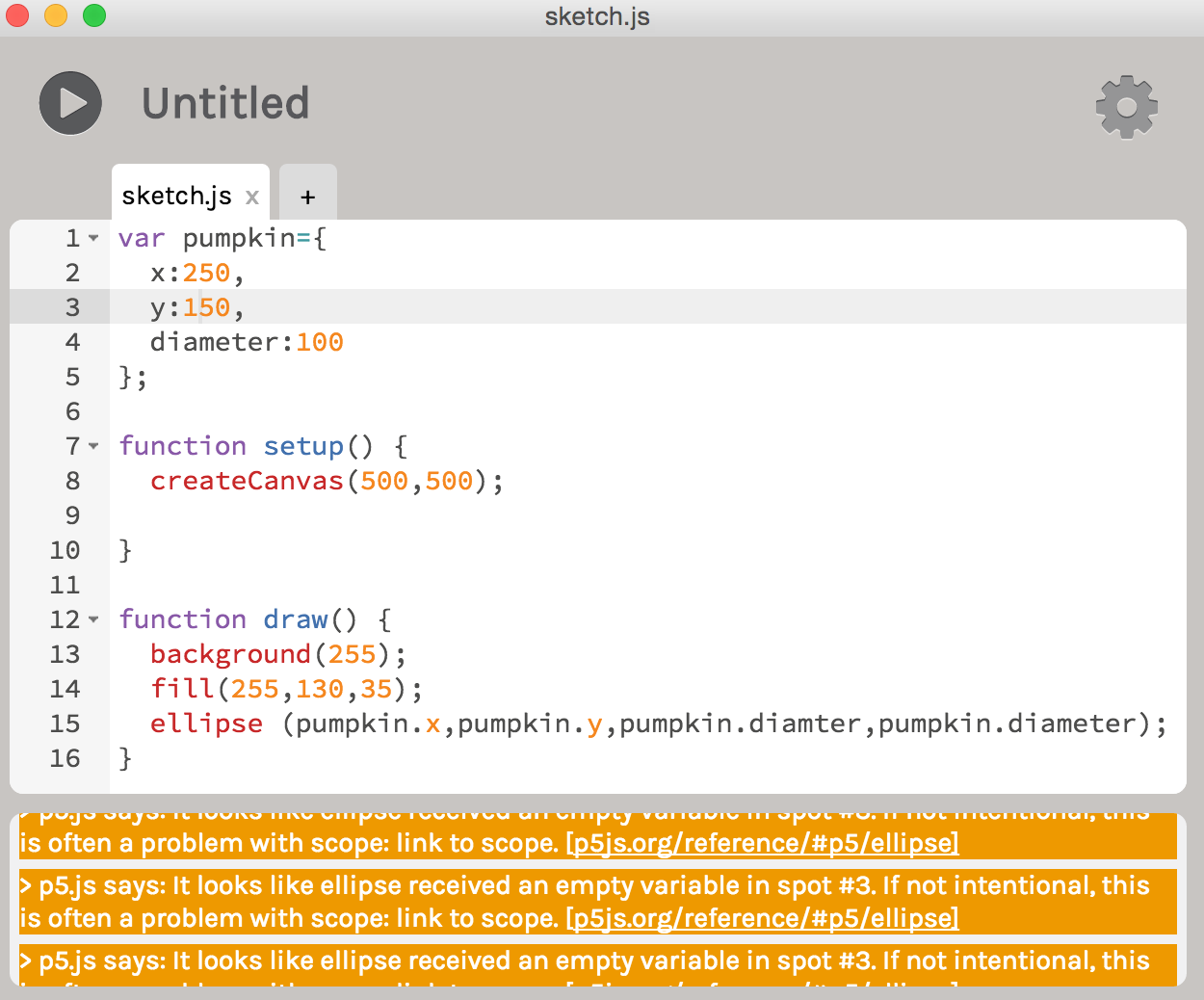
https://yourartbeat.net/association-2/ FAIL: I tried inputting this object “var pumpkin =” and could not figure out why it was telling me there was an empty variable in spot 3. However, following along with the videos online, I was successful in mirroring what happened on screen in my p5js run of it.
https://gottbs.com/ttlabs/ Example 4: The Final Scene
https://northernstacksevents.com/contact/ SUCCESS: Applying many of the new tools from today including mouseX, var, random, alpha, map, I was able to create an animation that can also be manipulated by the mouse, in the form of a pumpkin in conjunction with “var blood” splattering randomly across the screen (#runonsentence).
click here FAIL: I was unable to make a pumpkin turn into a jack-o-lantern as it crossed from a white background to a black background.
Leave a Reply